Last Updated on 25.01.2024 by DriverNew
 Drivers and software for operating systems Windows 11, Windows 10, Windows 8, Windows 8.1, Windows 7, Windows Vista, Windows XP (64-bit / 32-bit)
Scanner Model: Canon imageFORMULA DR-6030C
This driver provides common settings, to enhance performance. Scanning speeds of up to 200 dpi will be processed faster using the user assigned resolution settings. It is necessary for this driver to be installed for the use of CaptureOnTouch Pro.
How to install the scanner driver correctly: Do not connect the scanner to the computer. Start installing the software first. During installation, a message will appear on the monitor informing you when to connect the scanner to your computer.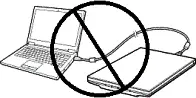 If you see the message ‘Found New Hardware’ on the screen, click Cancel and disconnect the USB cable. Then proceed to install the software. A common mistake when installing a driver is that you first connect the device to your computer using a USB cable and then install the driver. In this case, the operating system detects the connected device and installs its own driver, which may not work correctly or not work at all. However, some other devices may work fine with the driver installed by the operating system. Therefore, if there is a driver specially created for your device, then first start installing this driver and only then connect the device to the computer.

Software for Windows operating systems

Download scanner driver for Windows
File Size: 63 MB
File version: V.2.0.11508.7001 SP2
File name: DR_6030C_Common_Driver_v200_SP2_ML.zip
Canon imageFORMULA DR-6030C
CaptureOnTouch V5 Pro
Scanning Software for operating systems Windows 11, Windows 10, Windows 8 / 8.1 (64-bit / 32-bit)
CaptureOnTouch V5 Pro
File version: 5.0. File Size: 387 MB
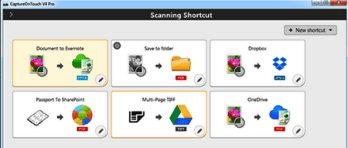 Efficiently scan and organise document batches with user-friendly, productive software offering professional Image processing. Scan and save to multiple formats including searchable PDF, and send to various cloud based applications. If you have an older version of CaptureOnTouch installed, please uninstall the older version first. To use the full functionality, the Optional OCR Module must be installed separately.
Optional OCR module for CaptureOnTouch V5 Pro
File version: 1.0. File Size: 789 MB
This is an optional module that can be used with CaptureOnTouch V5 Pro. By installing this module, the following functions are available. Detection priority mode. Import images from existing files. Output to Word and Excel.
Canon imageFORMULA DR-6030C
If you have problems using this software, you can use the easier way to scan documents and photos.
You can scan using free Windows tools or the NAPS2 app.
Windows Scan is a free app for Windows 11, Windows 10, and Windows 8.1 that you can download from the Microsoft Store and use to scan documents and pictures.
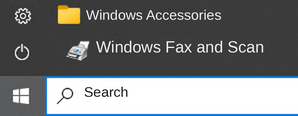
Windows Fax and Scan is a built-in app for Windows 10, 8.1, 8, and 7. To open it, click Start or use Windows Search. In the search box, type: Windows Fax and Scan.
NAPS2 is a free scanning app that lets you save files as PDF, TIFF, JPEG, or PNG and offers more flexible settings.
To learn more about these apps, which one to choose, and how to use them, read this article.
Important: These apps require a scanner driver. If a driver from the manufacturer is available for your model, it is best to install it first. If Windows has already installed a driver automatically and scanning works properly, reinstalling it is usually not necessary.



Leave a Reply