Last Updated on 01.06.2026 by DriverNew
Canon didn’t release a Windows 11 driver for the LBP2900 / LBP2900B. The reliable solution is to install the official Windows 10 (x64) CAPT driver manually with Have Disk and point Windows to the INF file inside the package.
(This article contains a video with detailed instructions on installing the printer driver).
What you need
Driver file (64-bit): LBP2900_R150_V330_W64_uk_EN_2.exe
You can download the printer driver from Canon official website, here is the direct link to download this driver:

https://gdlp01.c-wss.com/gds/2/0100002782/04/LBP2900_R150_V330_W64_uk_EN_2.exe
After extracting the file above, go to: …\x64\Driver\CNAB4STD.INF
Step-by-step installation (Windows 11)
1) Extract the driver
Open that folder and confirm you can see: …\x64\Driver\CNAB4STD.INF.
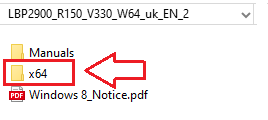
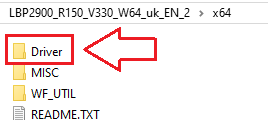
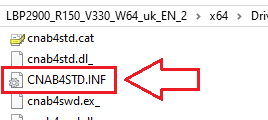
Keep this window open — you’ll point Windows to this file.
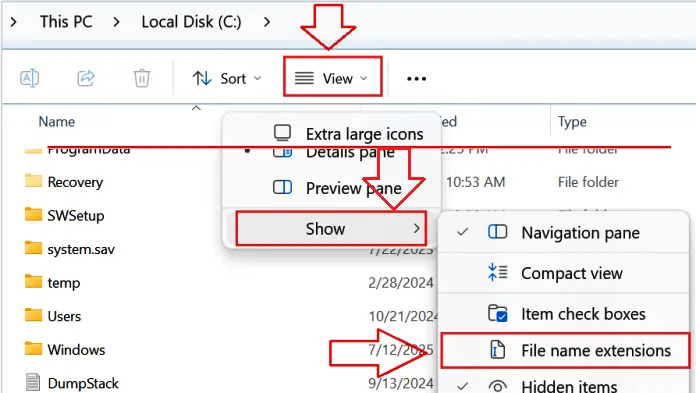
If you don’t see file name extensions (.INF) when you view files in File Explorer: In the search box on the taskbar, type file explorer, and in the search results, select File Explorer. In File Explorer, select View → Show → File name extensions.
2) Connect and power on the printer
Plug the LBP2900/LBP2900B into your PC with USB. Turn the printer On and wait ~10–20 seconds.
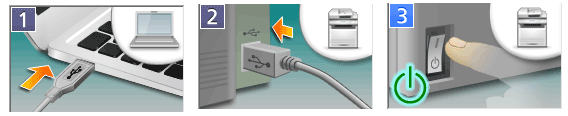
If Windows shows “Driver unavailable,” continue — the steps below will fix it.
3) Open the classic Add-Printer wizard
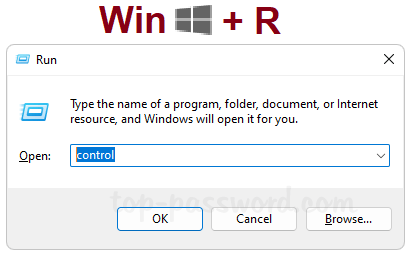
Press Win + R, type control, press Enter to open Control Panel.
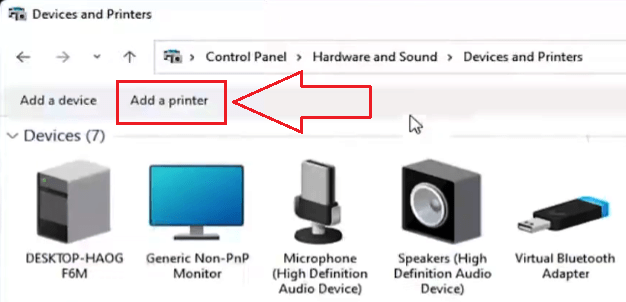
Go to Hardware and Sound → Devices and Printers. Click Add a printer.
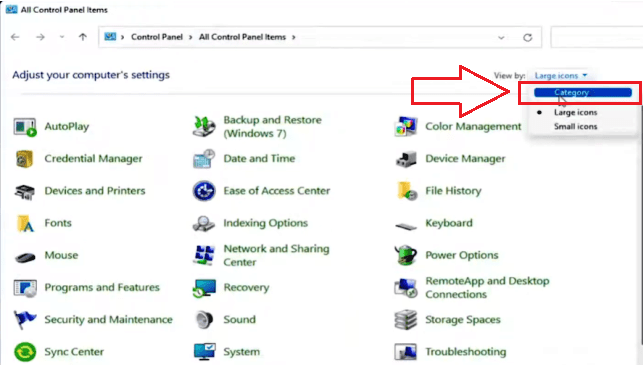
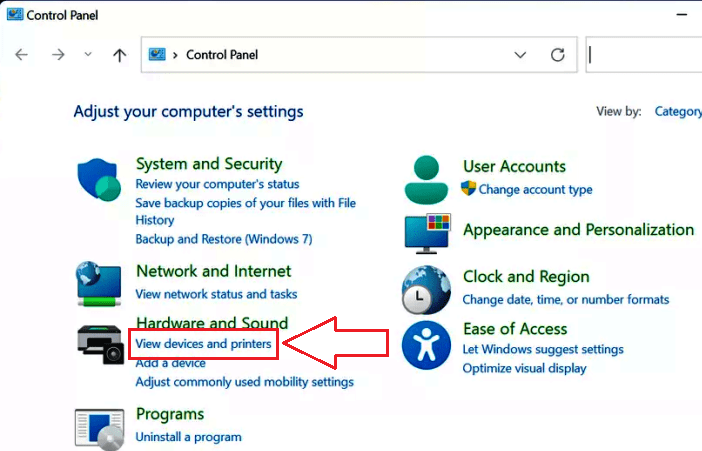
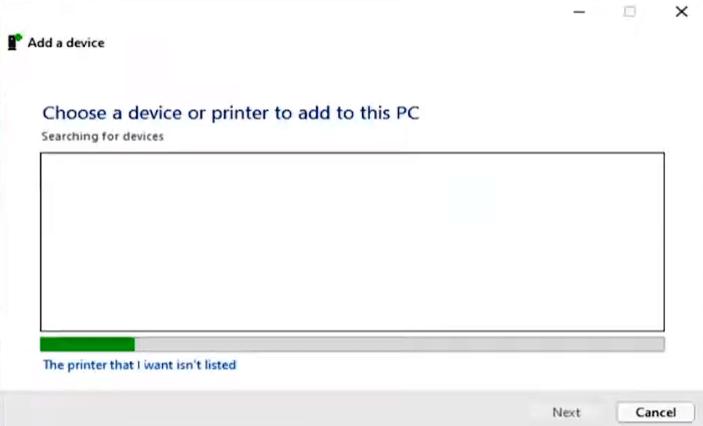
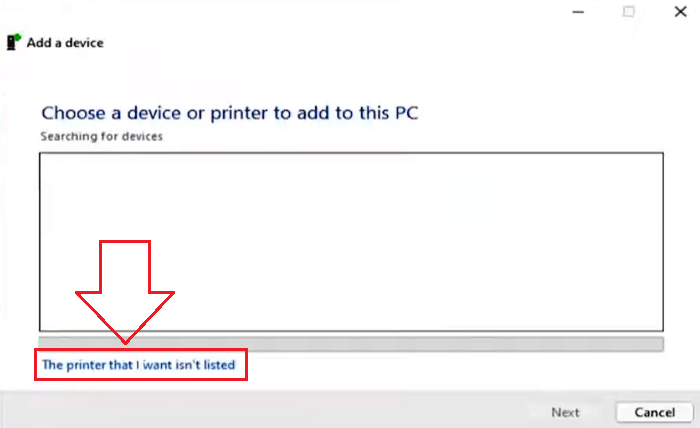
If your printer isn’t listed, click The printer that I want isn’t listed.
4) Choose manual setup
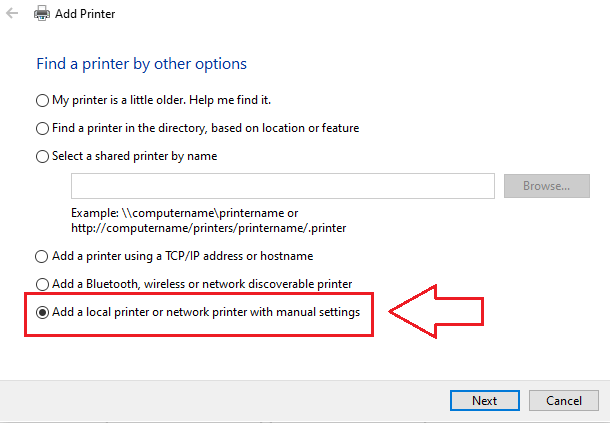
Select Add a local printer or network printer with manual settings → Next.
On Choose a printer port, select Use an existing port → pick USB001 (Virtual printer port for USB) → Next.
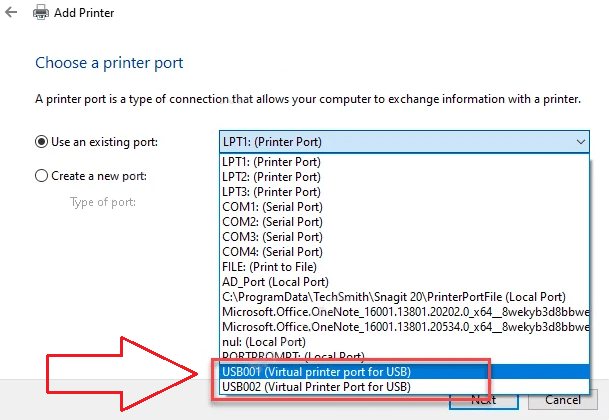
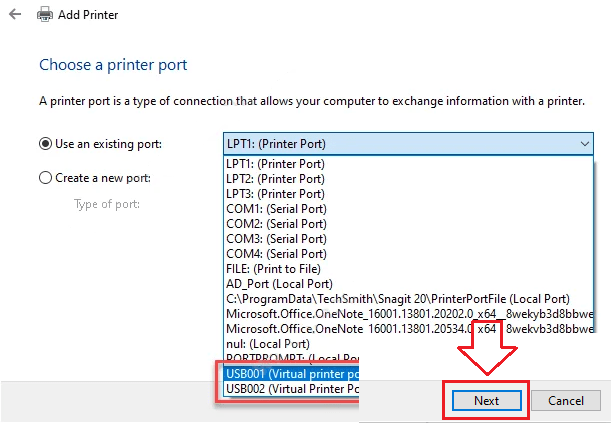
(If printing doesn’t work later, you can switch to USB002 in Printer Properties → Ports.)
5) Install the Canon driver with Have Disk
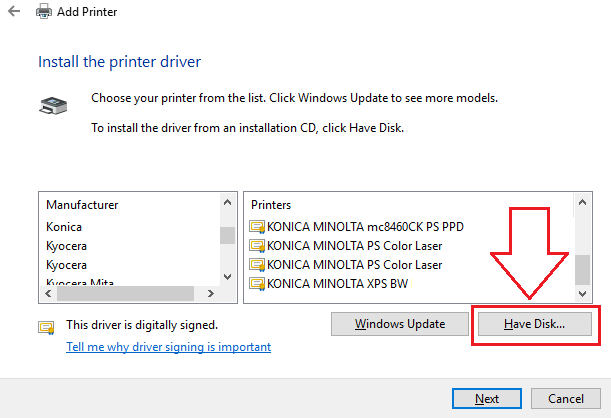
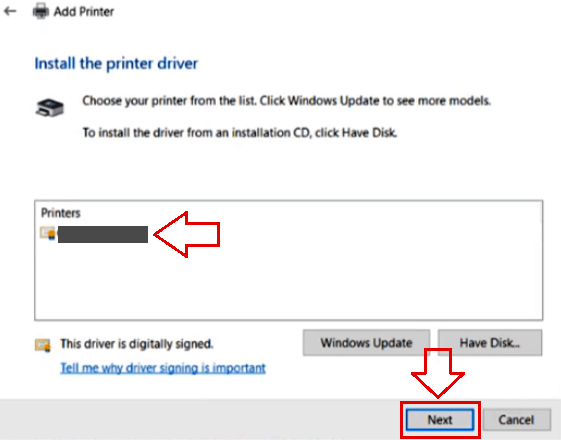
On Install the printer driver, click Have Disk… → Browse….
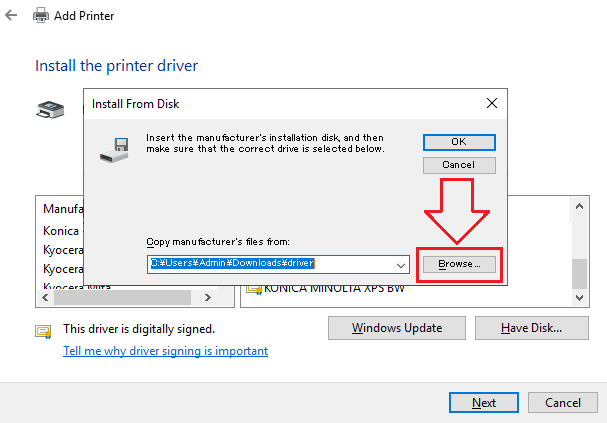
Navigate to the extracted folder and select: …\x64\Driver\CNAB4STD.INF → Open → OK.
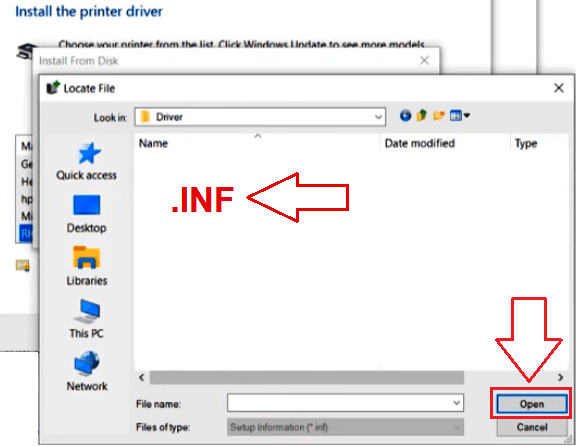
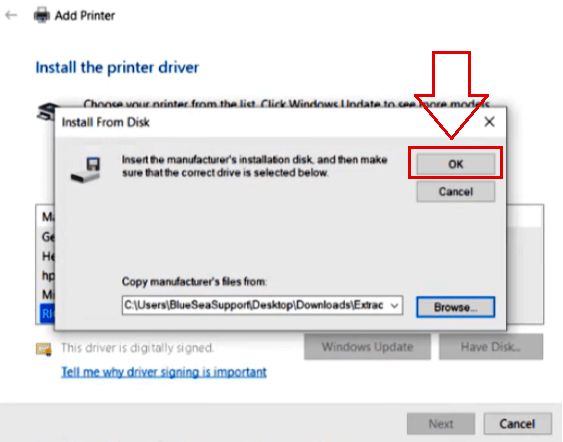
Choose Canon LBP2900/2900B (CAPT) when it appears → Next.
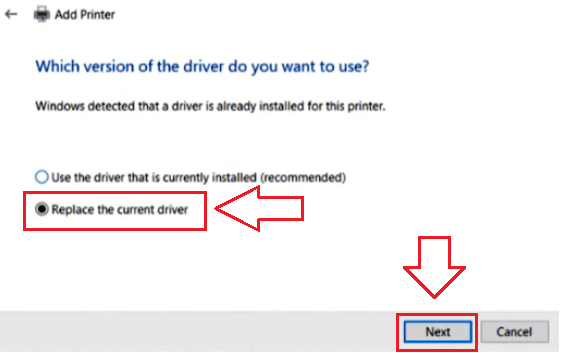
If asked to replace an existing driver, choose Replace the current driver → Next.
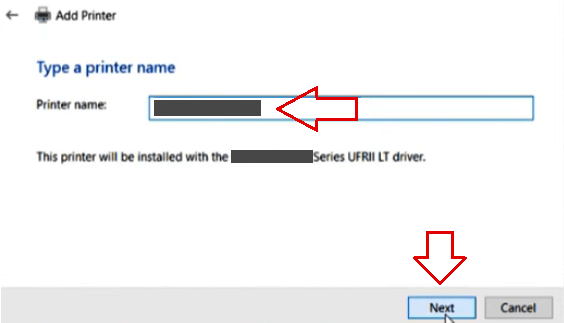
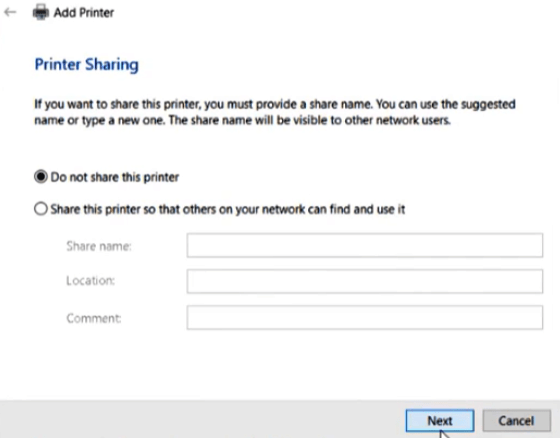
Name the printer (e.g., Canon LBP2900) → Next → Finish.
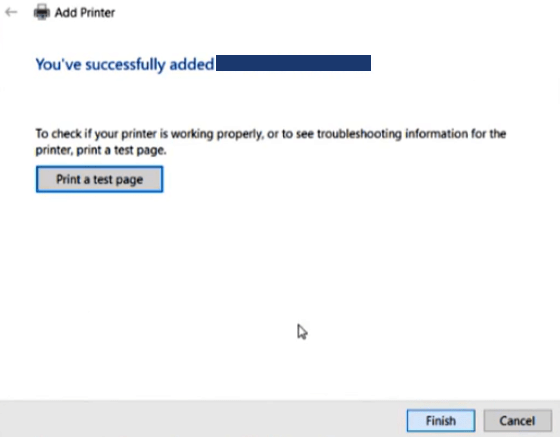
Right-click your new printer → Printer properties → Print Test Page.
This video shows you how to install a device driver manually using “Have Disk” in the Windows operating system.
 Important Information for ARM-Based Laptop Owners
If your laptop is powered by an ARM architecture processor (such as Qualcomm Snapdragon or similar models), standard methods for installing software for Canon LBP series laser printers will not work.
The Windows operating system on ARM processors does not support emulation of legacy kernel-mode drivers for CAPT and UFR II technologies. For this reason, connecting the printer directly via a USB cable is technically impossible.
To resolve this issue, you must use local network workarounds. Check out the detailed list of printer models and step-by-step setup instructions in our dedicated article: Installing a Canon LBP Laser Printer on an ARM Laptop.
Quick fixes (only if it doesn’t print first try)
No print / “Offline”:
Right-click the printer → Printer properties → Ports → switch between USB001 and USB002 → Apply → test again.
Model not listed when browsing:
Make sure you selected CNAB4STD.INF inside the …\x64\Driver\ folder.
Print Spooler hiccup:
Press Win + R → type services.msc → Enter → double-click Print Spooler → Restart → try a test page.
Why we recommend only this method
Right-clicking an .INF file to “Install” may add files to Windows, but it often doesn’t link the CAPT driver to the correct USB virtual port on Windows 11. The Have Disk method above sets everything up properly in one pass and is the most reliable approach for this printer.
Your Canon LBP2900/LBP2900B should now work normally on Windows 11 using the Windows 10 driver.



The download link :LBP2900_R150_V330_W64_uk_EN_2.exe is dead. Anyone aware of optional link.
This is such a lame from canon not supporting with that driver anymore.
Installing Canon LBP2900/LBP2900B printer driver on Windows 11 using installation file ‘LBP2900_R150_V330_W64_uk_EN_2.exe’ works.
If you previously tried to install the driver and the printer does not work, then remove the previously installed driver and restart the computer. After that, install the driver as written in the article.
The printer is good and reliable and you shouldn’t give it up just because it’s difficult to install the driver in Windows 11.