Last Updated on 16.11.2024 by DriverNew
 Driver for Windows 11, Windows 10, Windows 8, Windows 8.1, Windows 7, Windows Vista (64-bit / 32-bit)
Model: OKI MPS5502mb Multifunction Printer
Drivers for OKI MPS5502mb printer and scanner. Several files are available for download on the official OKI website for this model, and it is not always clear which one you should choose. This article provides links to verified installation files from the official OKI website that contain the necessary drivers and software for the full operation of the device and usually do not cause installation problems. The article also includes instructions for the proper installation of the software for the OKI MPS5502mb printer and scanner. If you have difficulties installing drivers or if the printer and scanner do not work properly after installation, read here about ways to solve such problems.
Installing drivers and software for printer and scanner: OKI MPS5502mb. How to install the printer driver correctly: Do not connect the printer to the computer. Start installing the software first. During the installation process, a message will appear on the monitor informing you when to connect the printer to your computer.
Video showing how to install the printer driver.
Software for Windows operating systems

Download printer driver for Windows
Download scanner driver for Windows
Driver for OKI MPS5502mb Multifunction Printer. This is a driver that will provide full functionality for your selected model.
Languages: English French Italian German Spanish Catalan Portuguese Japanese Dutch Danish Greek Polish Czech Hungarian Russian Turkish Arabic Hebrew
You can scan using free Windows tools or the NAPS2 app.
Windows Scan is a free app for Windows 11, Windows 10, and Windows 8.1 that you can download from the Microsoft Store and use to scan documents and pictures.
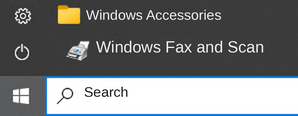
Windows Fax and Scan is a built-in app for Windows 10, 8.1, 8, and 7. To open it, click Start or use Windows Search. In the search box, type: Windows Fax and Scan.
NAPS2 is a free scanning app that lets you save files as PDF, TIFF, JPEG, or PNG and offers more flexible settings.
To learn more about these apps, which one to choose, and how to use them, read this article.
Important: These apps require a scanner driver. If a driver from the manufacturer is available for your model, it is best to install it first. If Windows has already installed a driver automatically and scanning works properly, reinstalling it is usually not necessary.



Leave a Reply